
WordPress versus HTML
Last updated: Dec 6, 2014
[NOTE: Read this only if you have a Non-WordPress, plain HTML web site that you wish to protect using DAP]Ok, so you’re not using (or thinking of not using) WordPress to power your web site. For what it’s worth, you are way better off using WordPress, but if you can’t switch for whatever reason, then keep reading.
DAP is deeply integrated with WordPress, and has a lot of very powerful features that work with WordPress like a dream. DAP is truly “Made For WordPress”.
While you’re really missing out on a *lot* of really cool things that you can do with DAP and WordPress, it’s fine as far as DAP is concerned that you wish to use DAP with a non-WordPress plain HTML web sites – because DAP can protect plain HTML web sites too.
But you also need to understand that because you’re not using WordPress, that makes “customizing” your DAP-powered site a bit more difficult, not because of a DAP shortcoming, but just because of the sheer fact that you have to hand-code a lot of things when it comes to a regular non-WordPress, HTML-based site.
So if you’re going to go down this route, there are a few things to consider:
- There are some DAP features which are WordPress-only, that won’t work on a plain HTML web site. For eg., Sneak-Peek, Short Codes for Partial Content Protection, Disabling Comments for non-members, ability to use free WordPress forum plugins, creating customizable member’s areas etc.
- You won’t be able to use our DAP Shopping Cart Plugin because it’s a WordPress plugin.
- You won’t be able to use any of our cool WickedCoolPlugins.com plugins.
- You won’t be able to use our built-in “Login/Logout Widget“, which shows the login form on the sidebar if users are not logged in, and automatically turns into a “Logout” button once they log in to your membership site.
- You won’t be able to “power customize” or “power tweak” every aspect of your membership area. For example, you must use the out-of-the-box log in page that comes with DAP – you cannot customize it much other than choosing a header and footer, unless you know how to work with a bit of PHP & HTML.
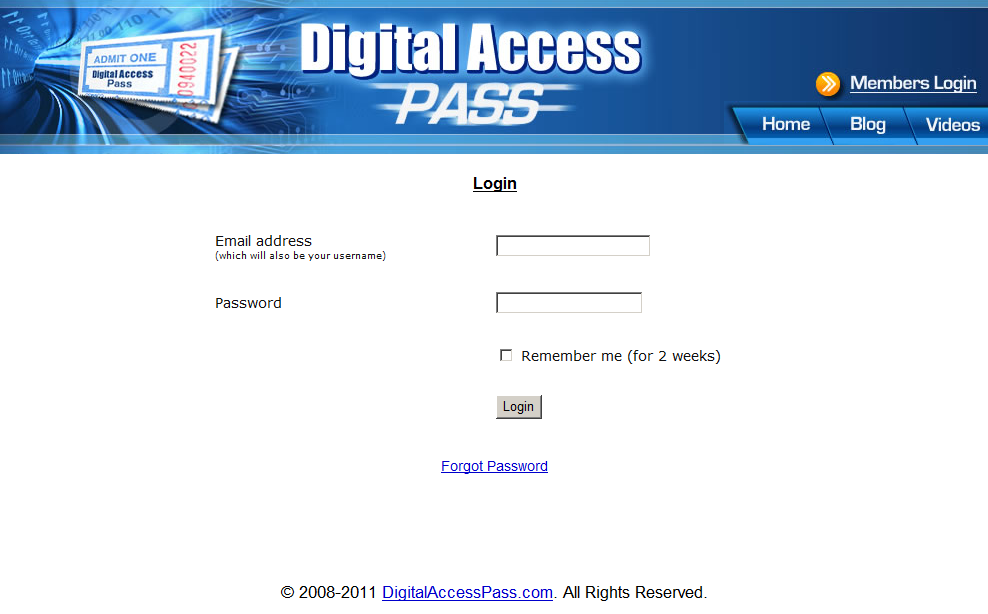
- You will have to use the default login page that comes with dap – that looks like this: http://DigitalAccessPass.com/dap/ . Of course, you don’t have to use our header image – you can replace it with your web site header and footer. For which, you have to at least know how to extract the HTML for the header & footer areas from your current web site. Or at least have someone who can help you with that.
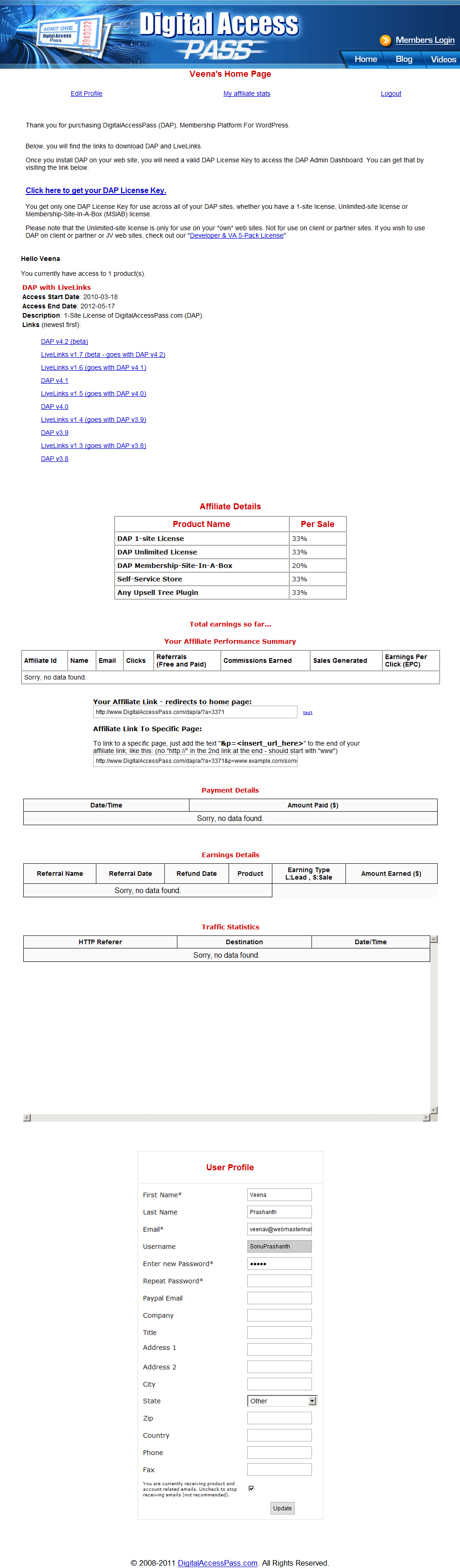
- WordPress users have tons of customization options, which you won’t have when using a HTML/PHP only web site. Like the ability to switch themes, split the member area into multiple pieces – like “User Profile”, “My Content”, and “Affiliate Links” – and put them on 3 different pages on their WordPress blog. You won’t be able to do that. For you, it will all be on one, default member home page.
So, if you are a “power tweaker” and want more control on the little things in your membership site, then DAP on a HTML site may not work for you.
But if moving your entire web site over to WordPress is such a big task and pain that you don’t wish to (or can’t) deal with, or you are not too particular about power customizations, and just want your membership site to “just work” right out of the box, then DAP is perfect for you, because it can work with WordPress- and non-WordPress web sites.
What You CAN and CANNOT Do If You Have A Plain HTML Web Site (and don’t use WordPress)
- NO: Sneak-Peek
- NO: DAP Shortcodes
- NO: DAP Shopping Cart Plugin
- NO: WickedCoolPlugins.com Plugins
- NO: Comment-Protection for visitors
- NO: Login/Logout widget
- NO: Must use DAP’s default login page, that is only customizable with a header and footer – will take more work (and you must know HTML) if you want to make the login page look exactly like the rest of your web site
- NO: Must use DAP’s default member page, which contains the “My Content” page, “My Profile” and “My Affiliate Info” sections all rolled into one single page – you won’t be able to split them up into multiple pages like you can do with WordPress
- NO: Our Amazon S3 plugin S3MediaVault.com will not work on plain HTML sites
- NO: “In-Page” dripping won’t work
Instant Membership Site
One of the biggest advantages of using the HTML/PHP version of DAP (without WordPress) is that you can get started instantly with the pages that come right out of the box with DAP.
DAP has a ready-made login page which will be available at http://YourSite.com/dap/login.php
Once your members/buyers log in through that default log in page (can be customized as shown further below), they are taken to the default one-page member page, that lists all of the products or membership levels they’ve purchased, lists all of the content that is part of each of those products/levels, and that page also has the affiliate section and the member profile.
Bottom-line: Everything your members will need – the entire member dashboard – is available in one single page.
If you don’t need the affiliate section, that can be easily turned off via DAP Admin > Setup > Config.
See http://DigitalAccessPass.com/documentation/?page=/doc/creating-member-affiliate-sections-within-wordpress/ – all of those pages that you would have to create within WordPress, are readily available out of the box on this one default member home page.
So all you have to do, is create the buy buttons from within the DAP Admin pages, put that button on your sales page, and once your member signs up, they log in via http://YourSite.com/dap/login.php and they’re in. And they can get everything that they need on that one member dashboard page which is all readily setup and configured for you.
Screenshot Of Sample Login Page
You can customize header and footer HTML. Click image to enlarge.
Screenshot of Sample Members’ Area
You can customize header and footer HTML. Click image to enlarge.
How To Customize Content On dap/index.php
You can modify only a few sections on the default dap/index.php page.
Go to DAP Admin > Setup > Templates , and the following 4 items are related to content on the dap/index.php page.
- Content:Header
- Content:Footer
- Message:Affiliate
- Message:User
Those are the only 4 things you can modify, and nothing else.
If you wish to customize it more, then consider putting those sections within WordPress.
See http://DigitalAccessPass.com/documentation/?page=/doc/creating-member-affiliate-sections-within-wordpress/

