
DAP Shopping Cart Checkout page

Here’s a screen-shot of how the DAP checkout page looks if you use the DAP internal shopping cart.
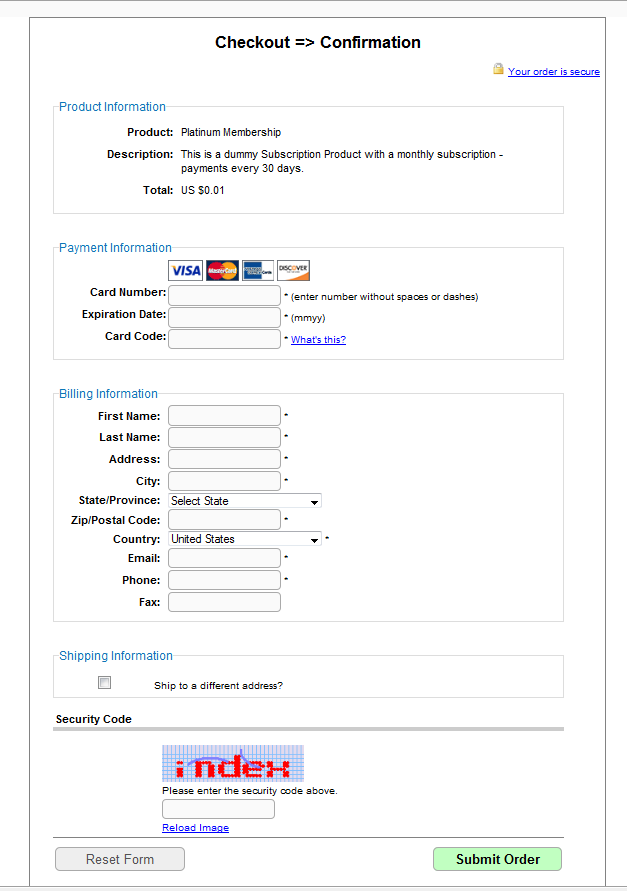
You can always add your own header (/dap/inc/cartheader.php) and footer (/dap/inc/cartfooter.php) to the checkout page.


5 comments ↓

#1 JM on 12.07.10 at 7:51 am

no tutorial how to use this built-in shopping cart?

#2 Veena Prashanth on 12.07.10 at 6:30 pm

You can find documentation here – http://www.digitalaccesspass.com/documentation

Look for upsell tree documentation.  This documentation applies to the DAP shopping cart as well.

It's upto you whether you want to offer upsells or not. You can use the upsell plugin to offer upsells or just use it as a regular buy page with no upsells (return users to the thankyou page instead of upsell page upon successful completion of initial purchase).

#3 joe on 01.09.12 at 6:46 pm

how are debit cards handled? Are they entered the same way/place as a credit card?

#4 yans on 03.08.12 at 12:02 am

Hi Veena, how can i remove the Security code from checkout page?

#5 Veena Prashanth on 03.08.12 at 11:11 am

>>Hi Veena, how can i remove the Security code from checkout page? <<

Not yet but we will remove the ‘captcha’ from checkout page in dap 4.3 release (upcoming release of dap).

Thanks,
Veena

Leave a Comment