
Discover Our Latest Articles
DigitalAccessPass (DAP) Features!
The Most Complete Membership Plugin for Wordpress!
Setup Wizard
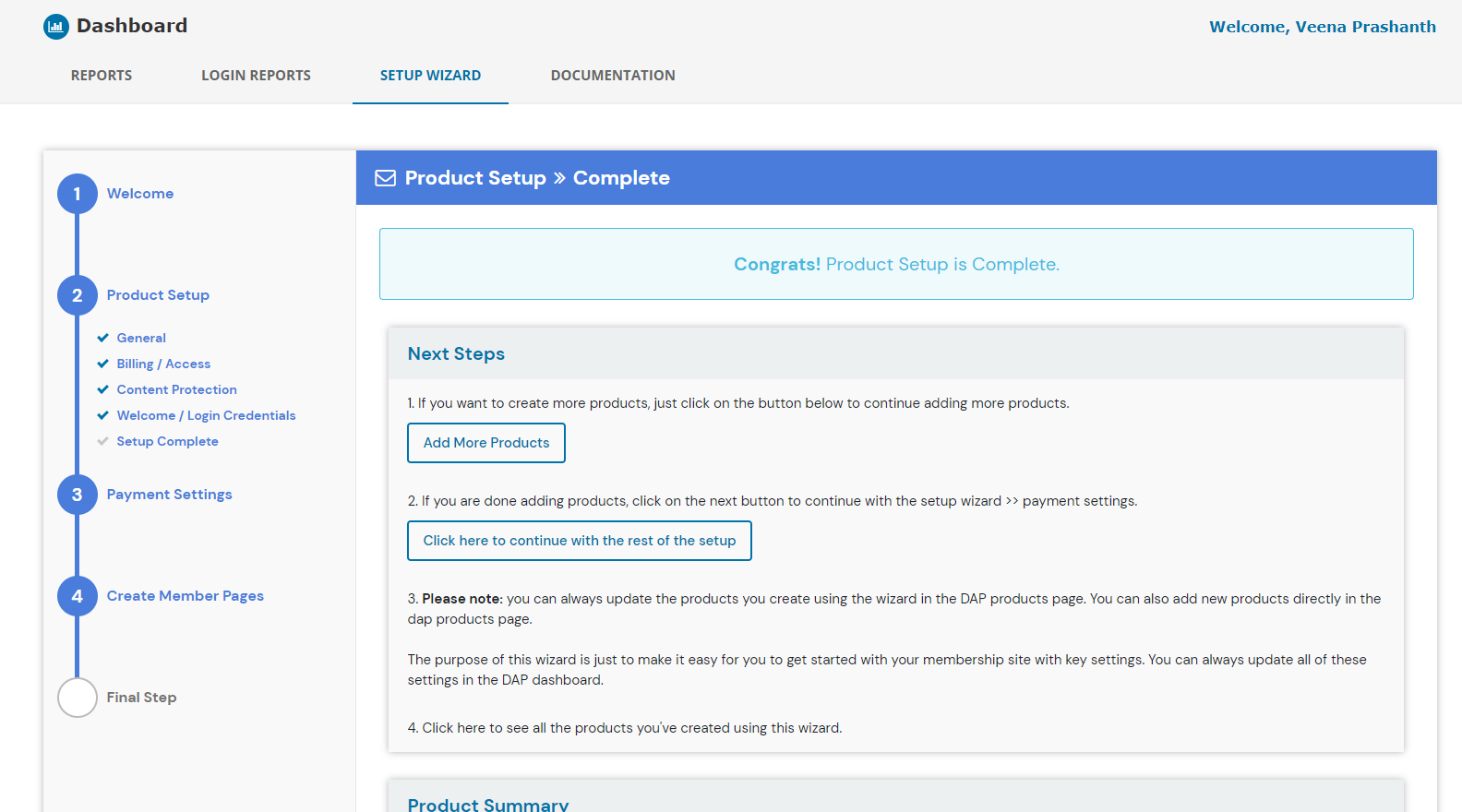
Setup your Membership Site in under 30 minutes!
You just have to answer a few questions related to the type of products you want to create, billing/access details, where you want the member pages to be installed, etc. The setup wizard will guide you through the setup process and help you set things up in just a few minutes.
Built-In LMS for your Courses
DAP comes with an advanced, built-in LMS for your courses!
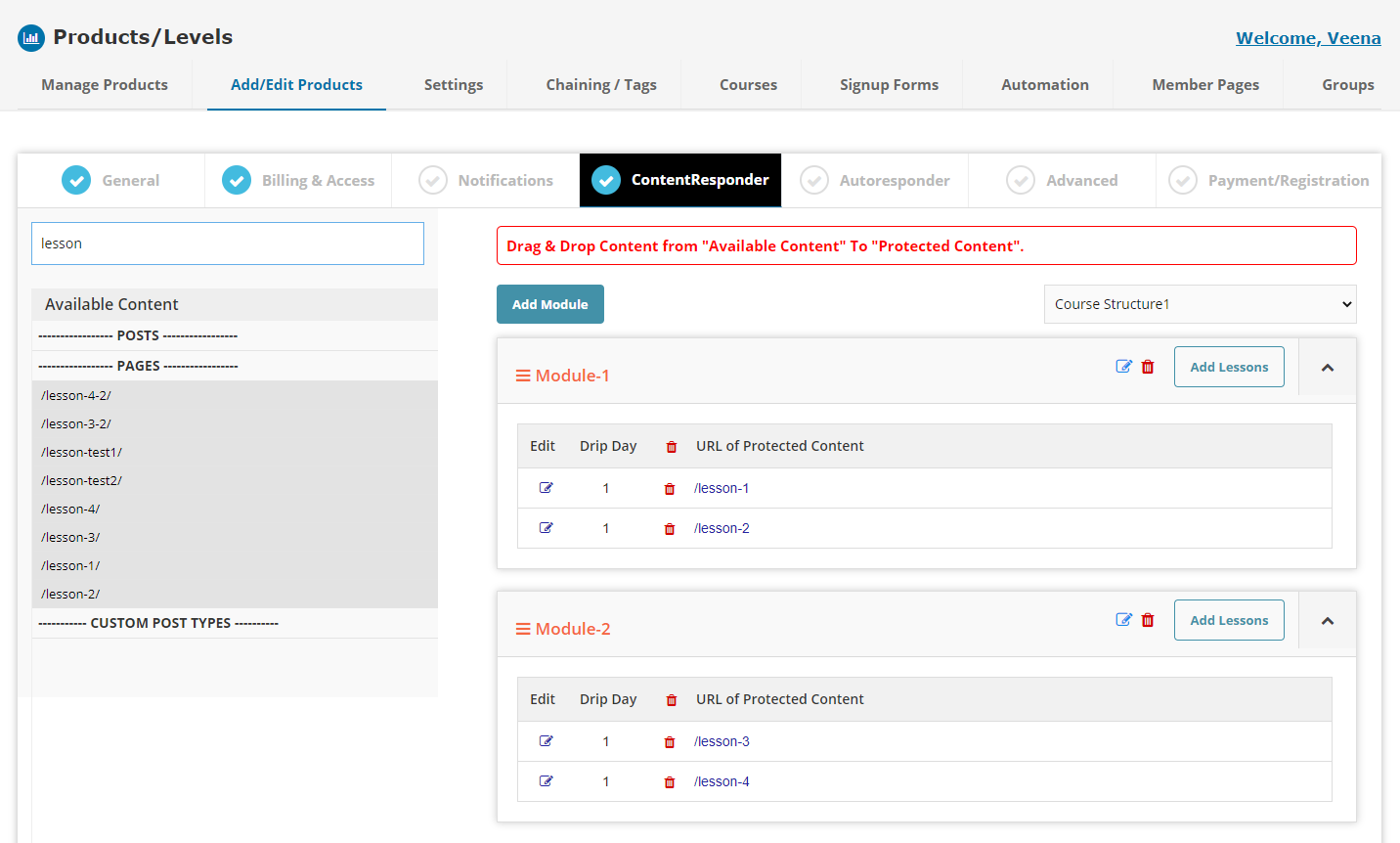
- Course builder: You can easily organize your course content into modules and lessons, or just lessons.
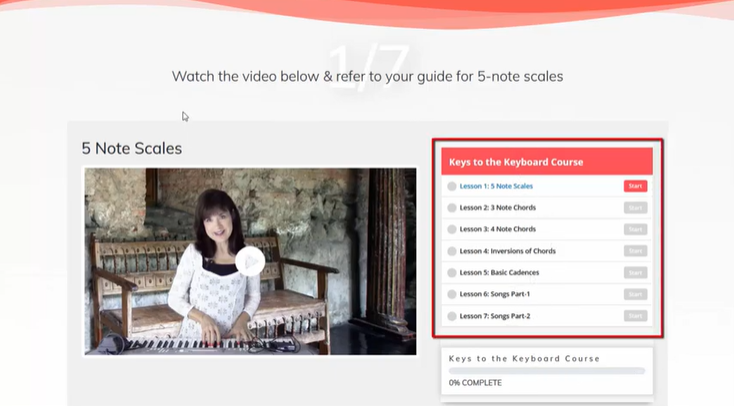
- Progress Bar: Publish a progress bar on your lesson pages. Color coded to quickly see completed/viewed.
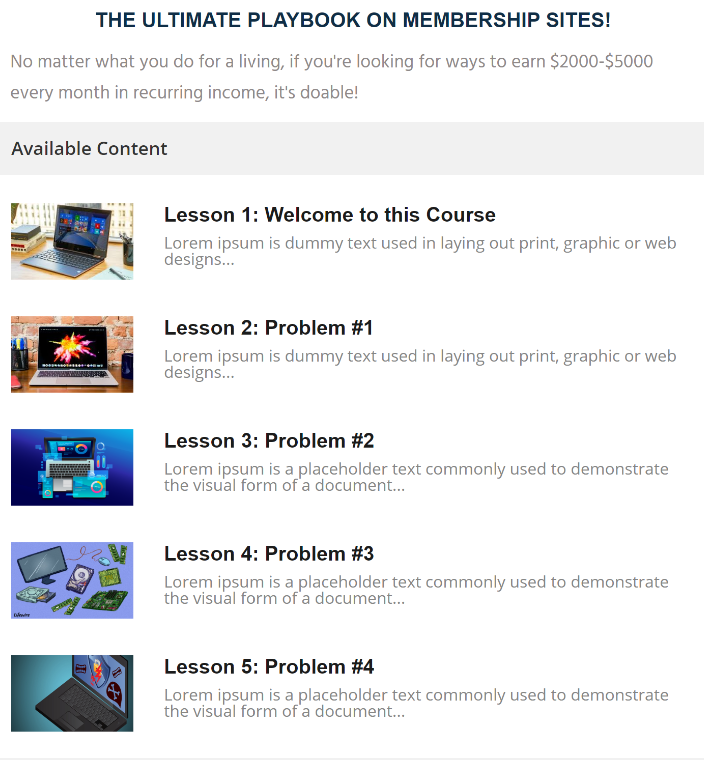
- Course Outline - Generate a course outline to display course name, description, lessons, modules, quizzes associated with the course.
- Lesson Design: You can create your lesson content in Wordpress. Design it however you want.
- Mark as Complete: Allow users to proceed to the next lesson only after they complete the previous lesson.
- Create your lessons in Wordpress using any page builder you want (or default Wordpress editor). Add whatever content you want on your lesson pages. Just add it to the DAP course builder to make the lesson a part of your course and drag/drop to re-arrange order.
Content Protection
FULLY SECURE YOUR CONTENT
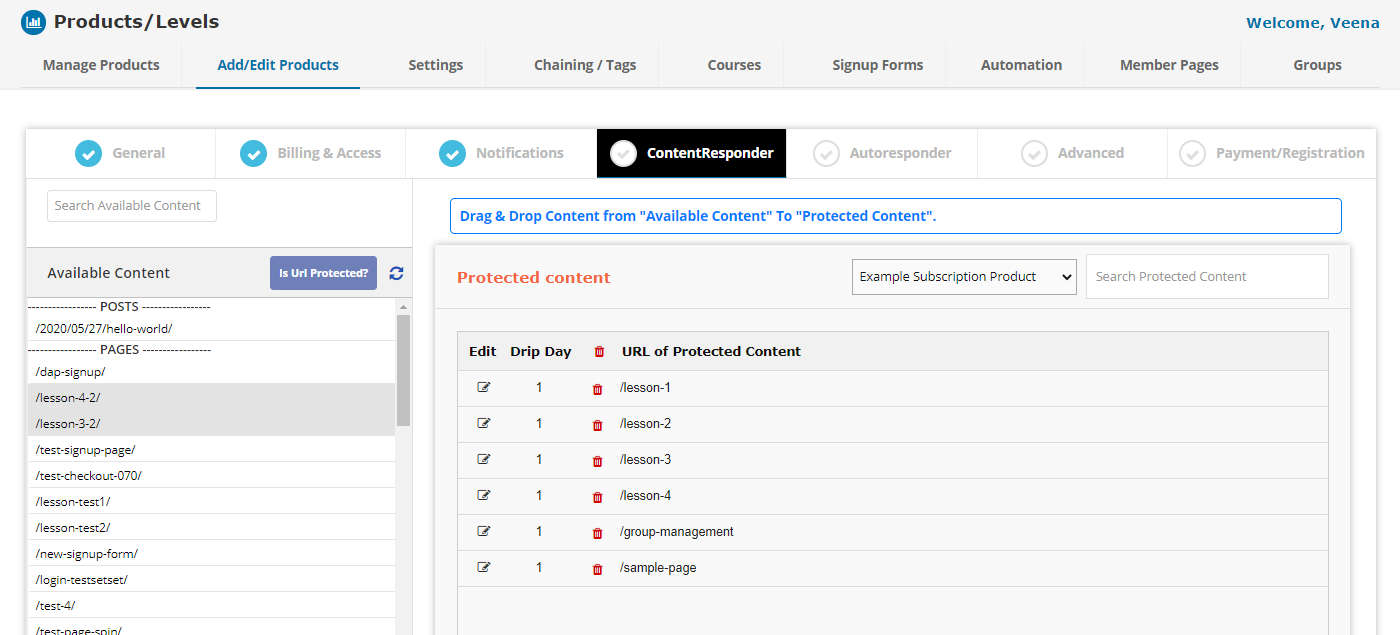
Protect all types of content - pages, posts, custom posts, categories, pdf files, audio, video, zip files, etc. Protect regular files like .mp3, .zip, .pdf, .doc. .xls. Even protect Images (.gif, .jpg, .png).
PARTIAL CONTENT PROTECTION
Use partial content protection feature to hide parts of a post or a page. You can do this using DAP shortcodes
SNEAK PEEK
Use the Sneak Peek feature to display teaser content. Content above the more tag is displayed to all but the full post can only be viewed by logged-in members with access.
TAG-BASED CONTENT PROTECTION
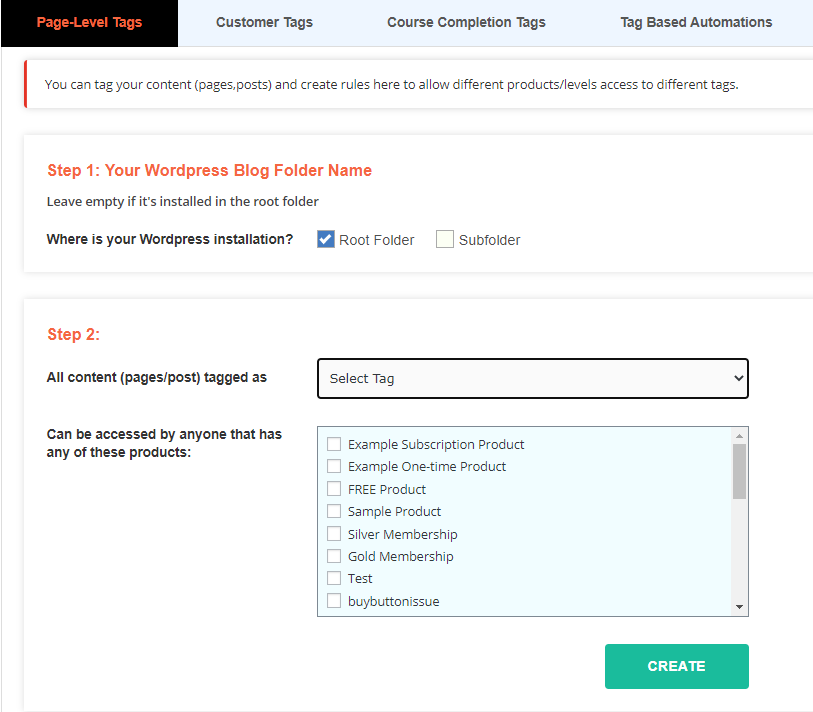
Tag your Wordpress content (pages, posts). Setup tag rules. For e.g., page tagged as "silver", can be accessed by anyone with access to products - silver, gold or platinum!
DAP's (Visual) Automation Engine
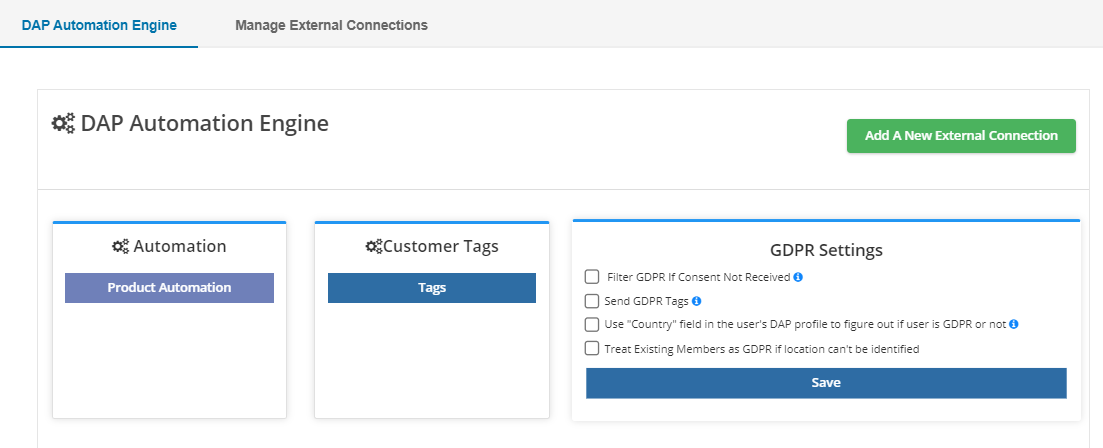
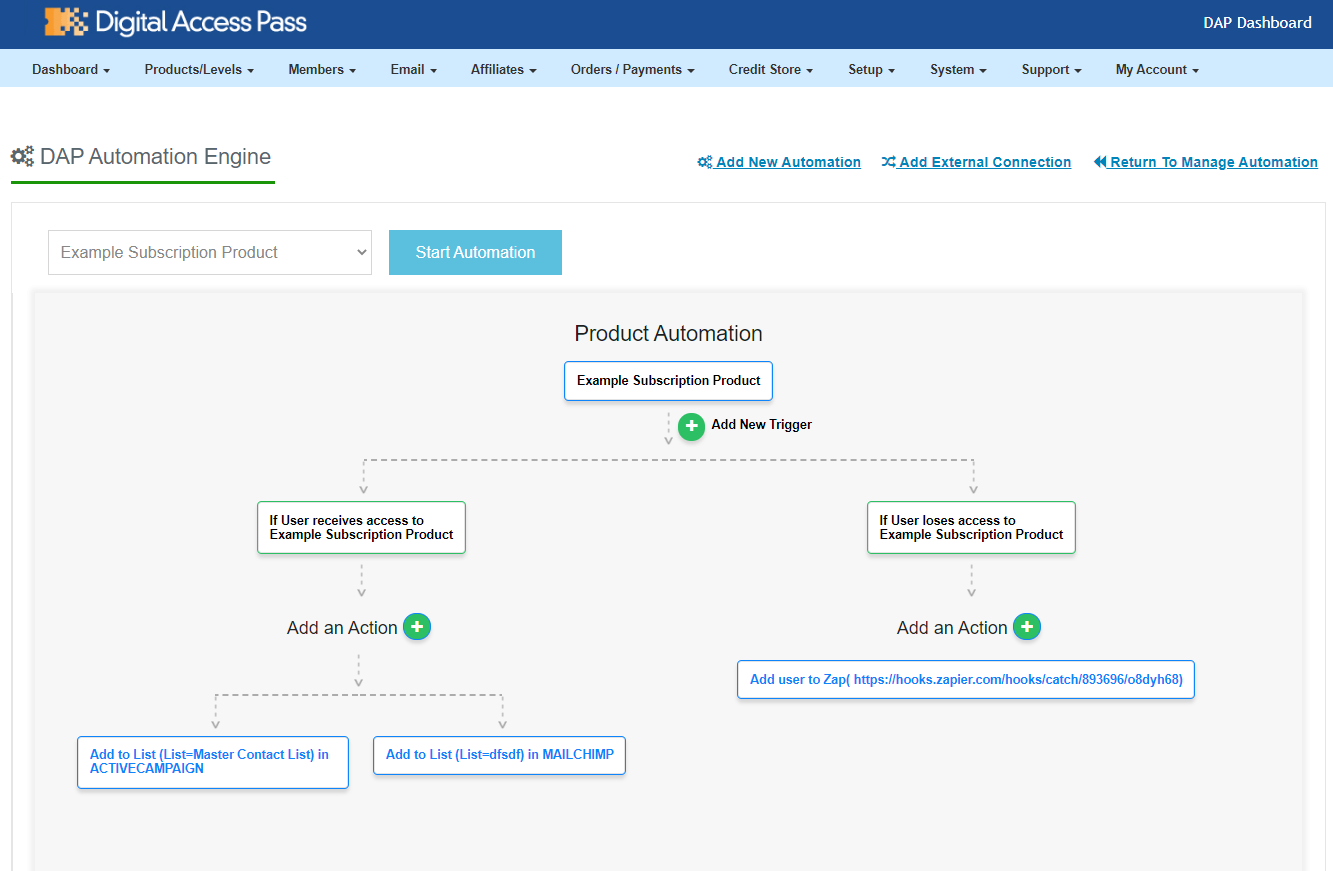
This one-of-a-kind Visual Automation Engine will allow you to supercharge your membership site automations and create a truly incredible experience for your members.
- Connect with external platforms: Connect DAP with external platforms such as: ActiveCampaign, Drip, ConvertKit, Aweber, Mailchimp. MailerLite, etc, with the click of a few buttons.
- You can even configure DAP to send user's membership password to your email platform.
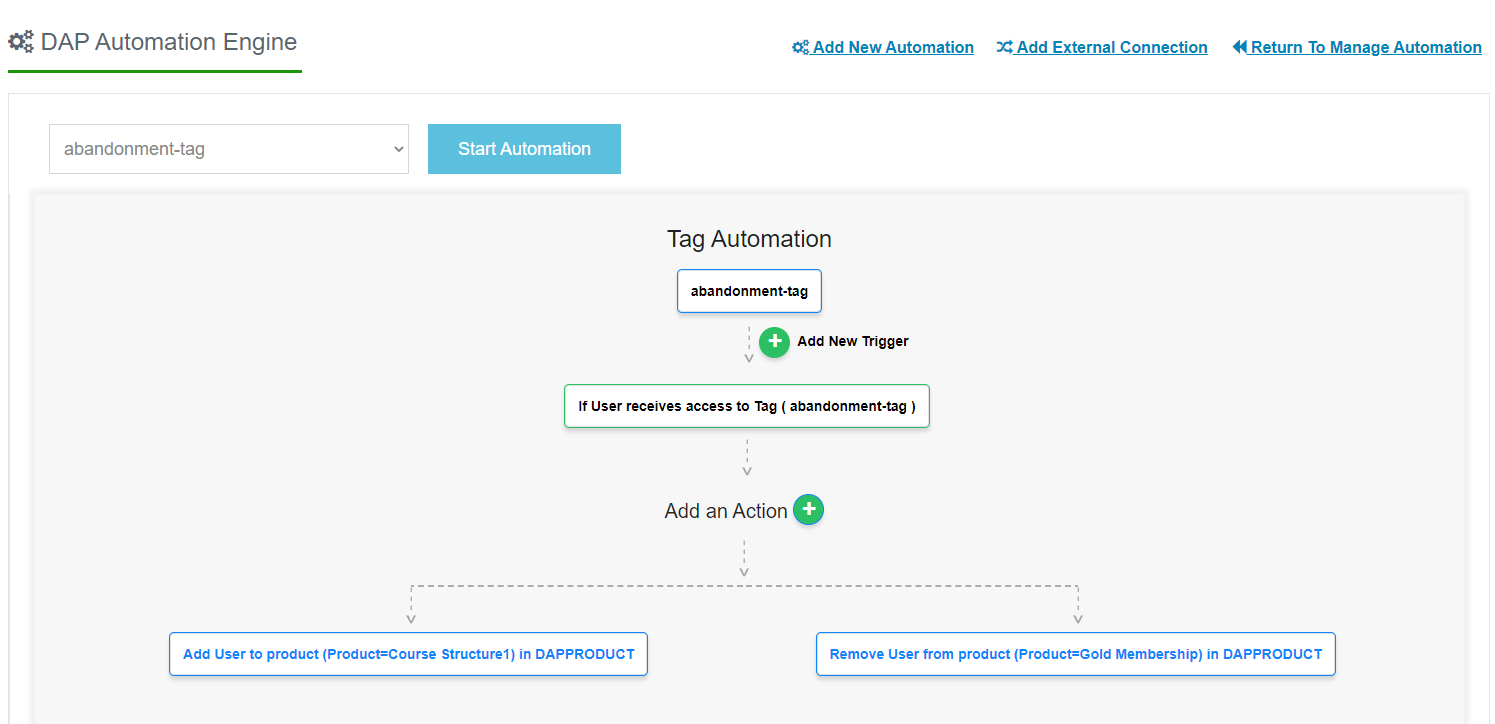
- Tag-Based automations: You can use DAP to build a tag-driven membership site where users get different tags for different actions, and set up automations to send these tags to your email platform, give them access to a product in DAP, or send emails via DAP's built-in autoresponder!
- Zapier Integration: Use the automation engine to connect DAP with your Zap, and connect your Zap to any external platform that Zapier supports.
Built-in Affiliate Module
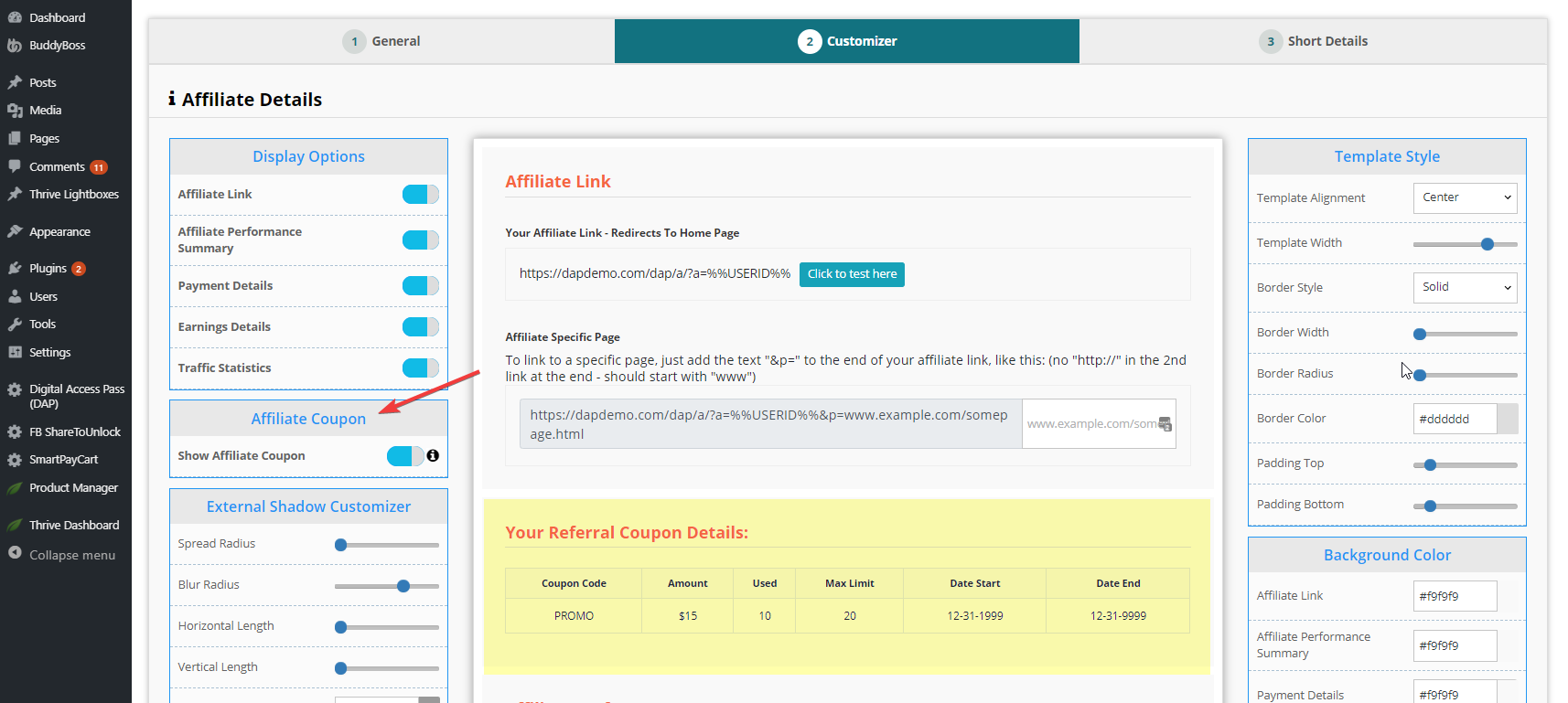
DAP comes with a built-in Affiliate Program for your web site, where all your Members can automatically and instantly be enrolled as Affiliates.
- Instant Affiliates: This means that as soon as a buyer purchases any product, they can get an instant affiliate link.
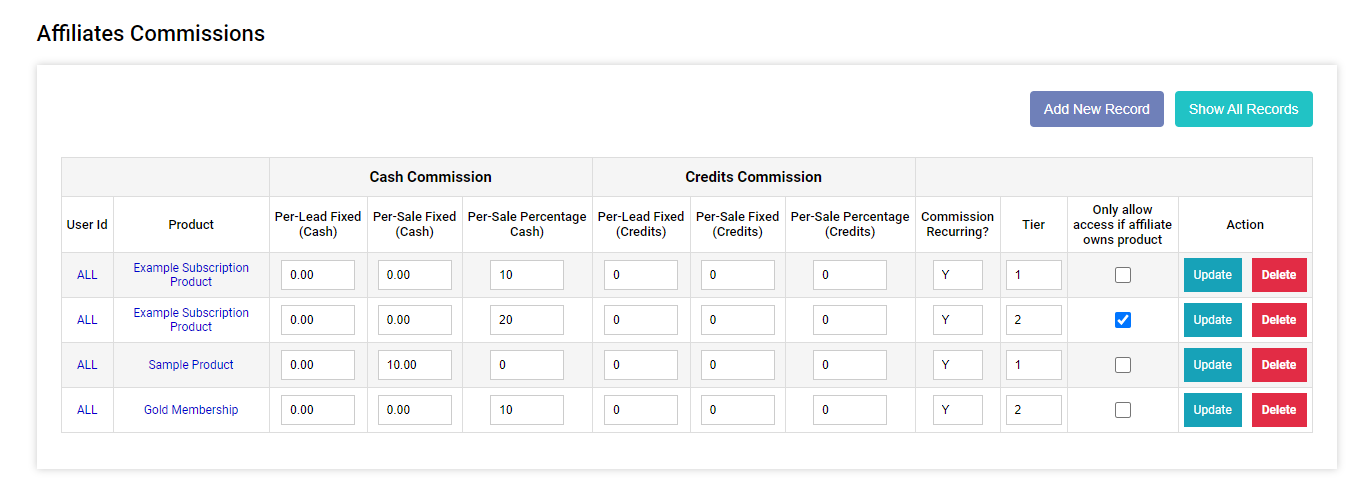
- 2-Tier Affiliate Program: DAP allows you to offer 2 tiers of affiliate commissions, not just one.
- Pay-Per-Lead and Pay-Per-Sale: You can offer both Pay-Per-Lead and Pay-Per-Sale commissions.
- Affiliate-Analytics: You'll find real-time earnings report,
payment report, real-time traffic stats. - Paypal Mass-Pay Ready: You get a Paypal Mass-Pay ready, fully formatted affiliate list with all commissions listed.
- Beautifully designed affiliate stats/info page: Display affiliate stats, payment and earning details to the logged-in affiliate.
Create a SMART Tag-Driven Membership site!
Tags-Based Membership Site
Activity-Based Tags:
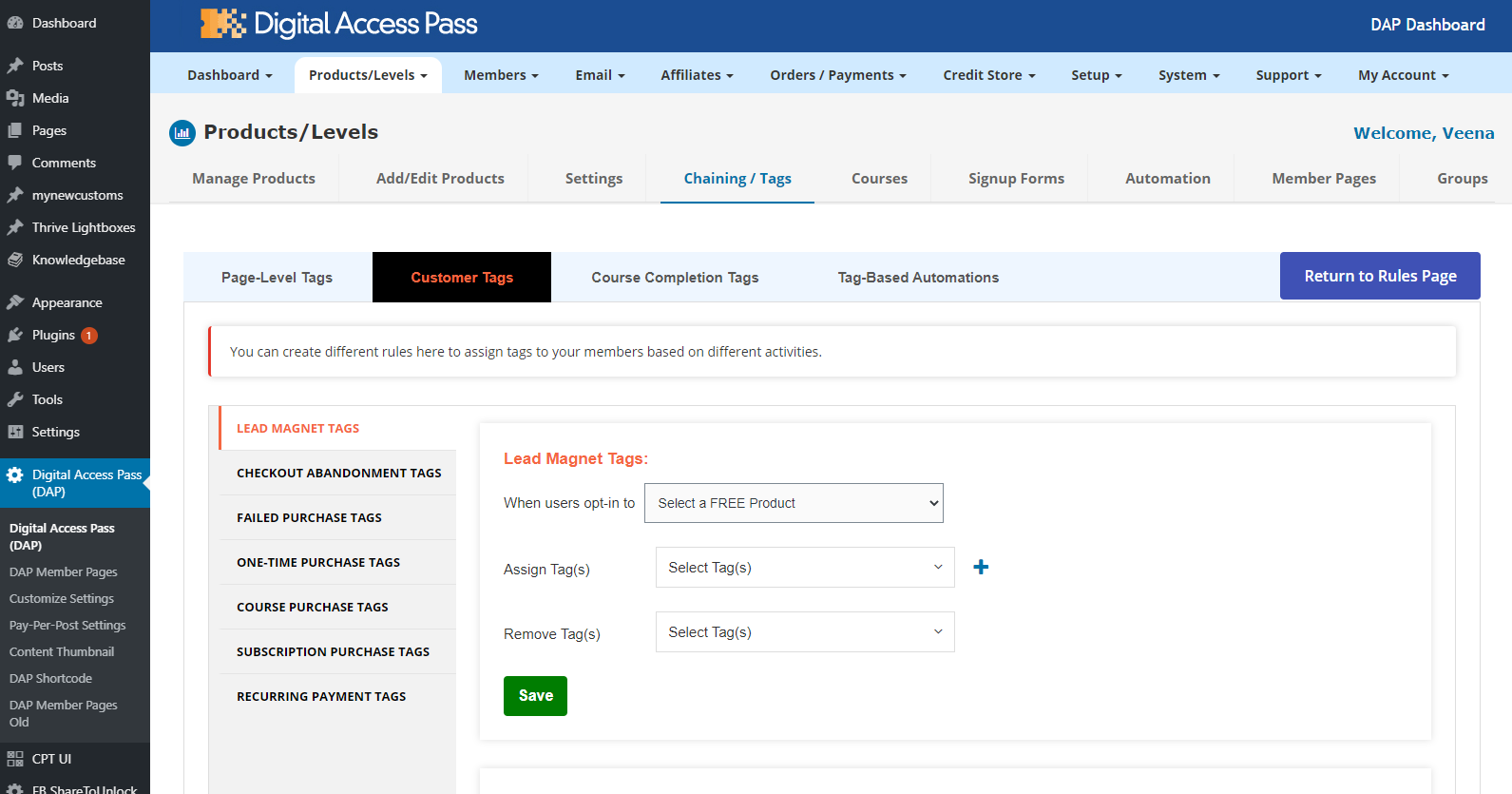
- Assign Tags: You can assign (and/or remove) customer tags when any of these events happen: Purchase Tags, Lead Magnet Tags, Course & Lesson Completion Tags, Recurring Payment Tags, etc. You can create different tag rules for different products.
- Cart Abandonment Tags: Assign (and/or remove tag) when users abandon your cart and do not complete purchase.
- Failed Purchase Tags: Assign (and/or remove tag) when users try to make a purchase but it fails for any reason.
Tag Automations:
- Trigger email automation when users get a new tag or lose a tag. Notify your email platform such as ActiveCampaign, ConvertKit, Drip, AWeber, MailChimp, MailerLite etc (or notify your zap)
- When members get a specific tag, you can give users access to a product in DAP, or remove their access from a product.
- You can trigger email automations using DAP's built-in autoresponder. Send users an email (configurable in DAP) when they get a specific tag (or lose one).
Email Autoresponder / Broadcast / SMTP
DAP comes with a built-in autoresponder and a broadcast system.
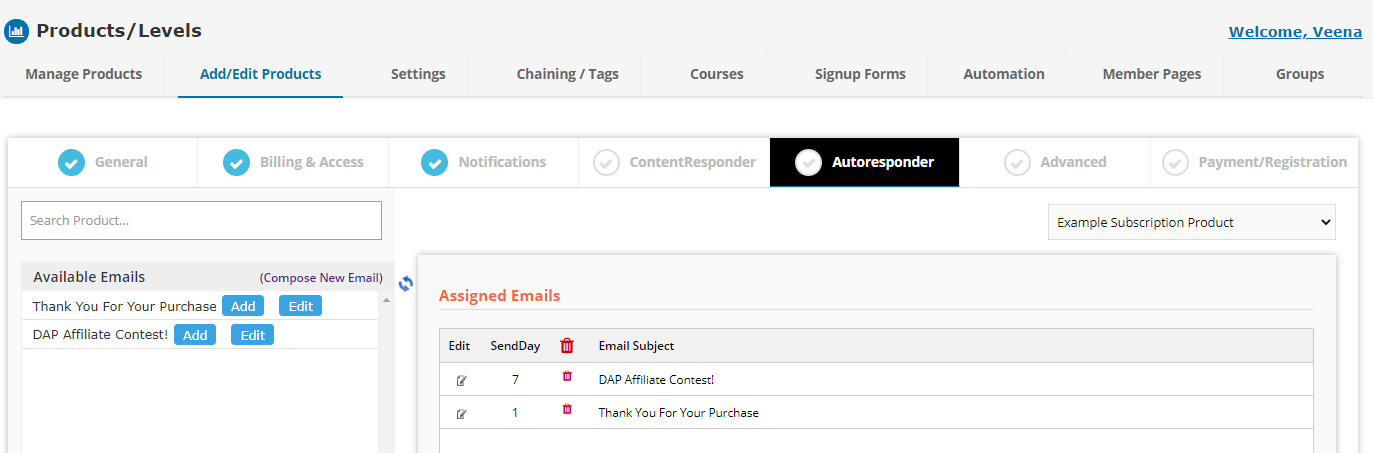
- Drip Emails: Ability to drip Emails! Integrated Email Autoresponder can send pre-scheduled emails to all users. Set up different autoresponder series for different products. No need for a 3rd party service like Aweber or GetResponse.
- Send both regular Text-based as well as HTML Email with styling and images
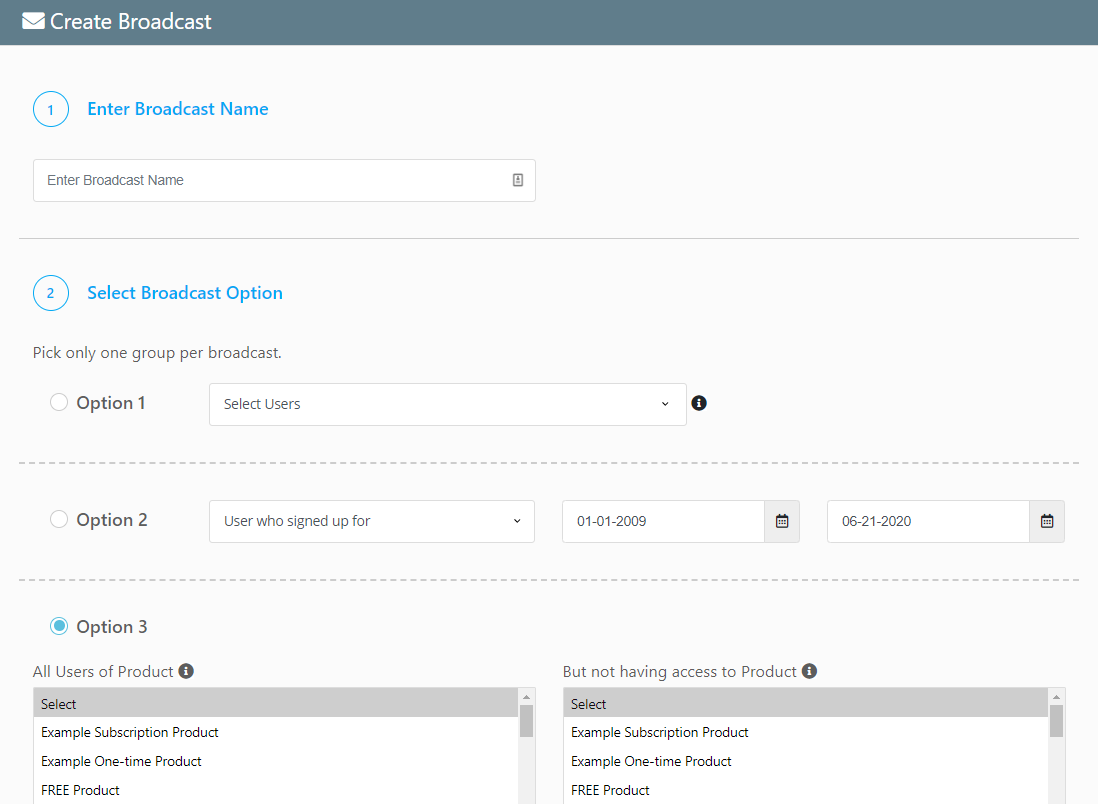
- Built-in Email Broadcasting: Ability to broadcast emails to your members right from the DAP Admin Dashboard, no matter the size of your membership.
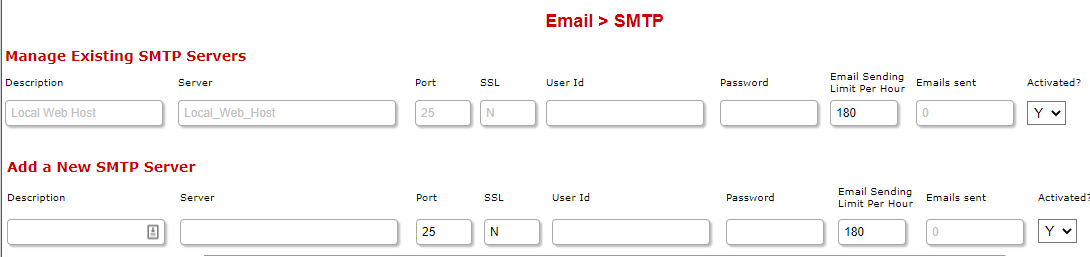
- Use 3rd-Party Email Servers - like Amazon SES, SMTP.com, AuthSMTP.com, or your own SMTP servers, to bypass your web host's email sending limits.
- Import CSV list of members from third-party membership software or list software.
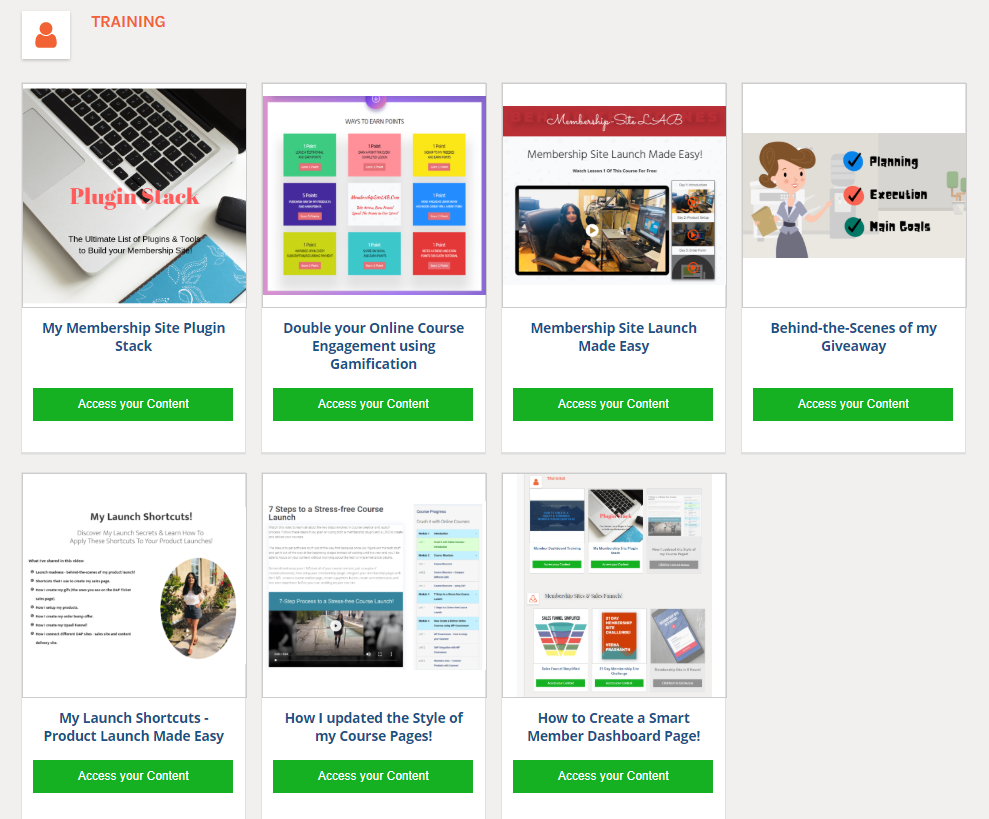
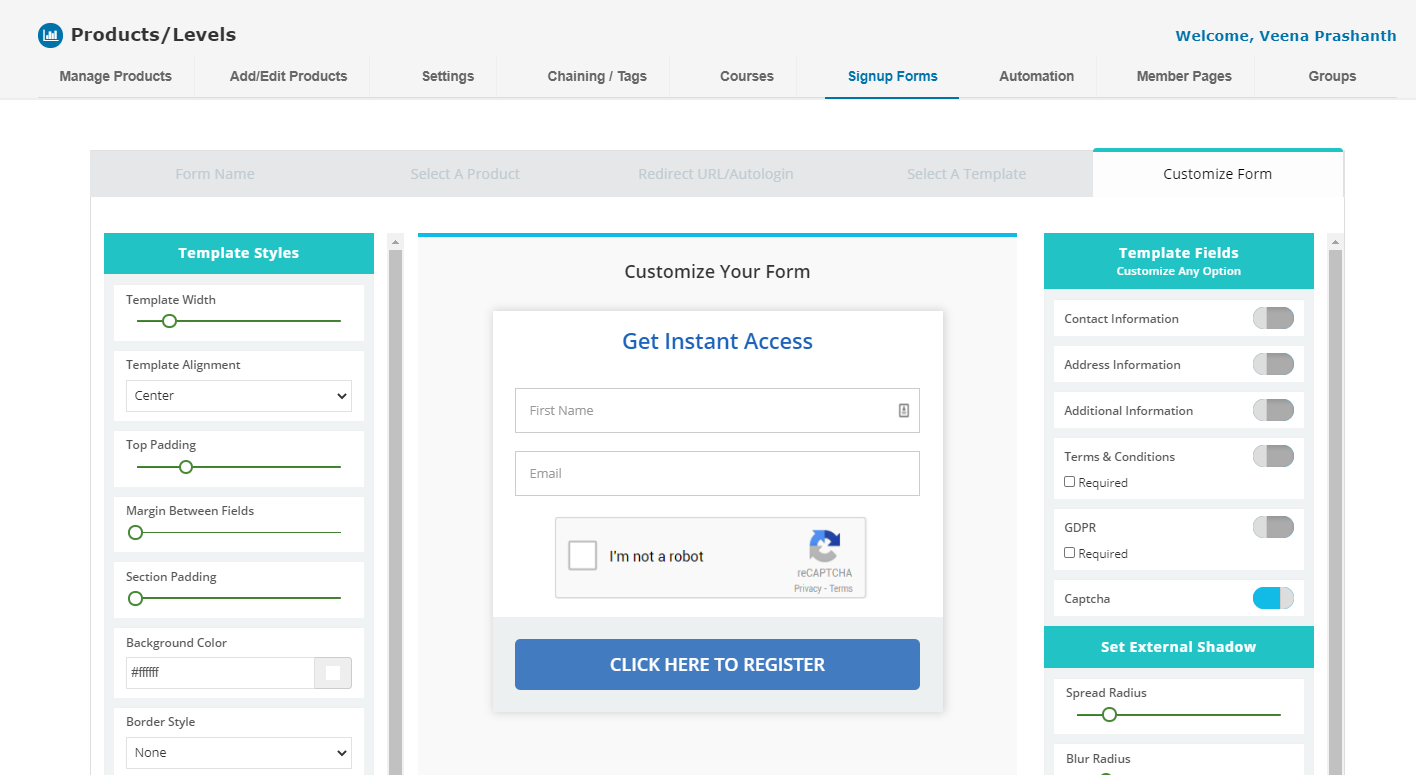
Member Page Builder
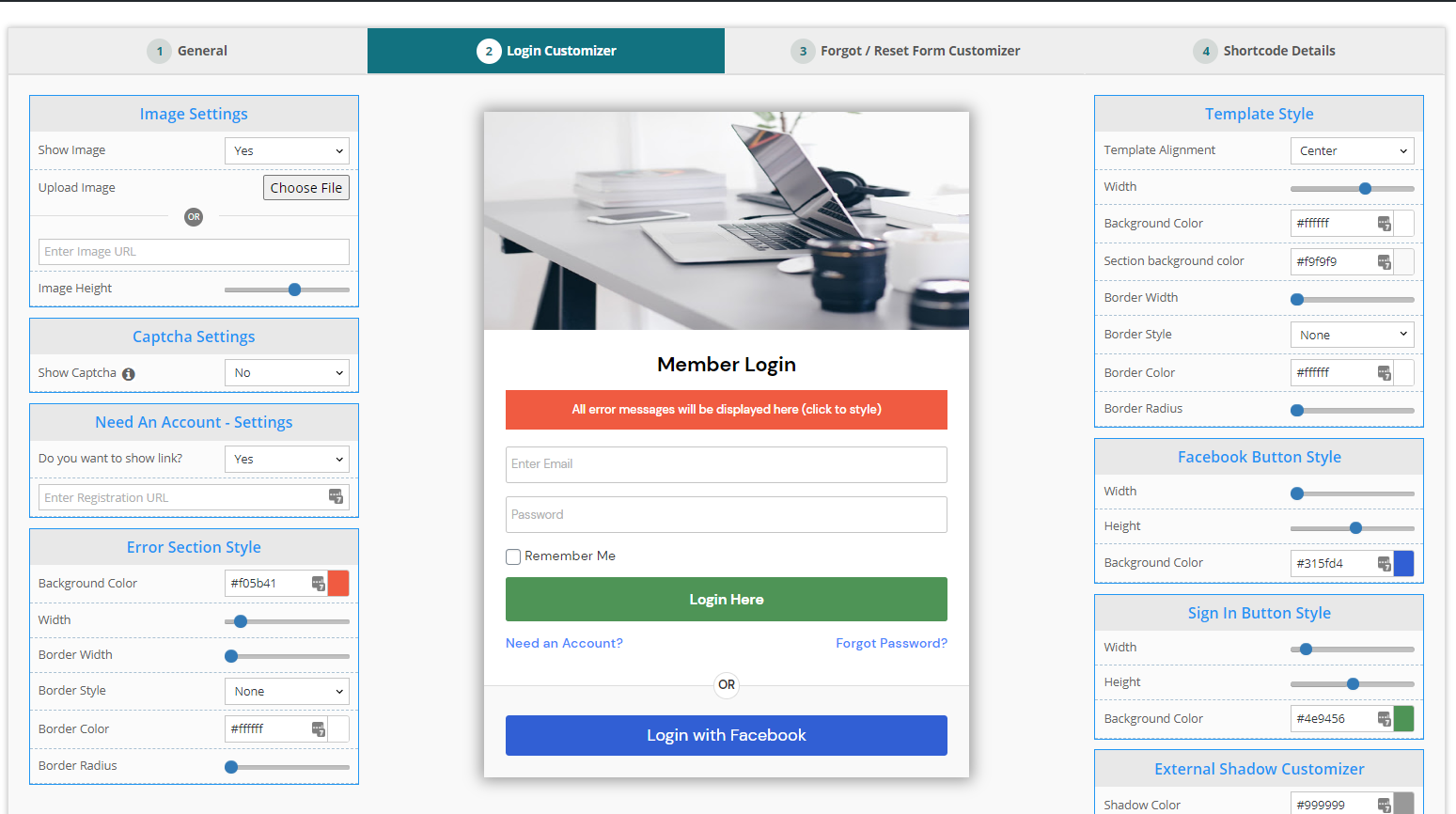
DAP comes with a powerful, advanced and fully-customizable member page builder! Create & customize beautiful, elegant member-facing pages, with the click of a few buttons:
- Member Login Page
- Member Content Page
- Member Profile Page
- Registration Forms
- Affiliate Stats Page
- Member Cancellation Page
- Invoice Page
Community
Your community could be the main component or a key benefit of your membership. You can use any free WP forum plugins such as BuddyPress, BBPress, SimplePress, or use Invision Community for your forum and integrate with DAP for a seamless single signup experience.
We recommend Invision Community, especially if you are looking to restrict access to different forums based on membership levels.

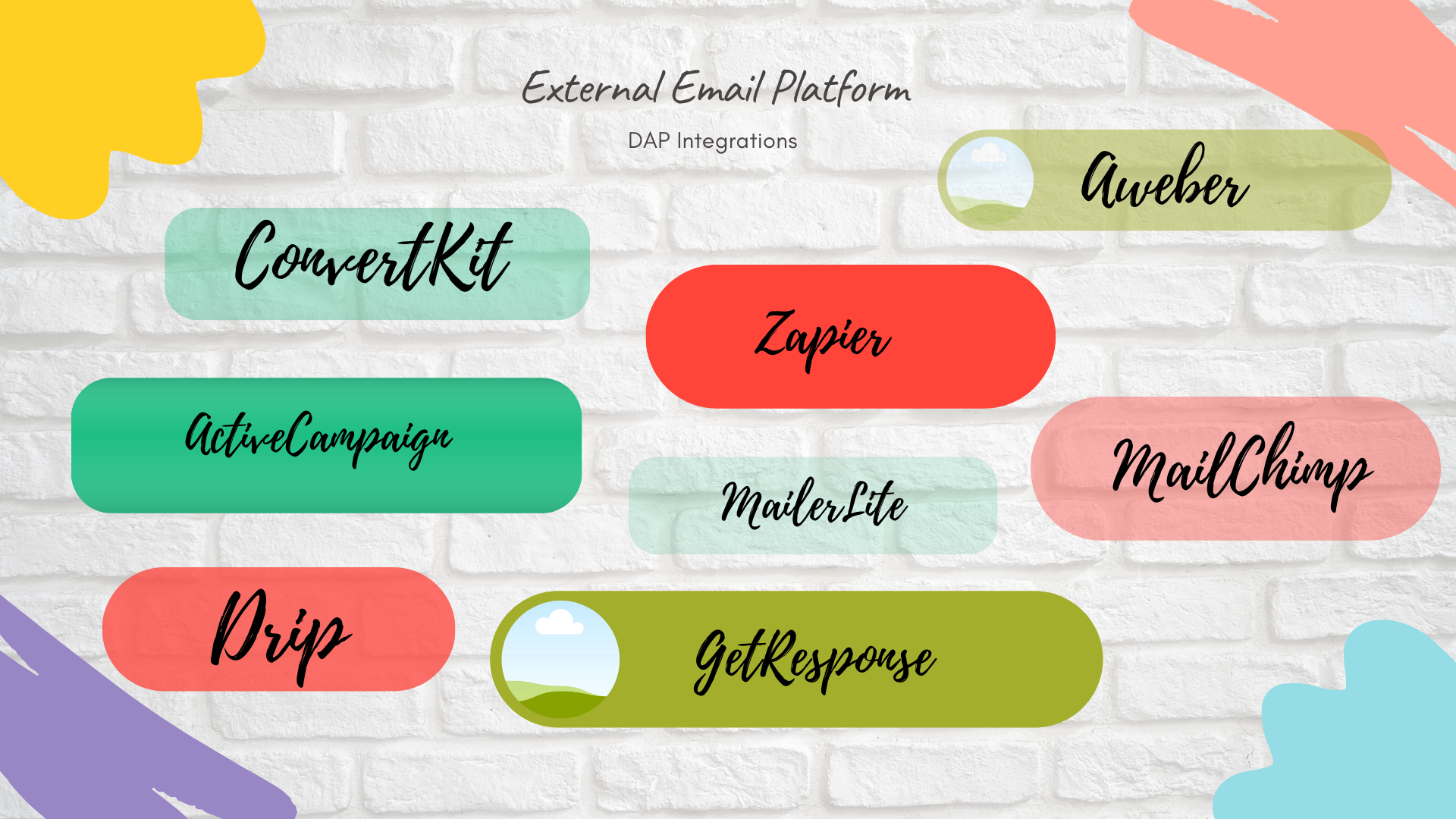
Email Platform / Zapier Integration
DAP integrates with Several external email platforms.
- Connect with email platforms such as:
=> ActiveCampaign
=> Drip
=> ConvertKit
=> Aweber
=> Mailchimp
=> MailerLite
=> GetResponse - You can even configure DAP to send user's membership password to your email platform.
- Tag-Based automations: Assign activity-based tags to your users and forward the tags to your email platform.
- Zapier Integration: Use DAP's automation engine to connect DAP with your Zap, and connect your Zap to any external platform that Zapier supports.
Shopping Cart / Payment Processor Integrations
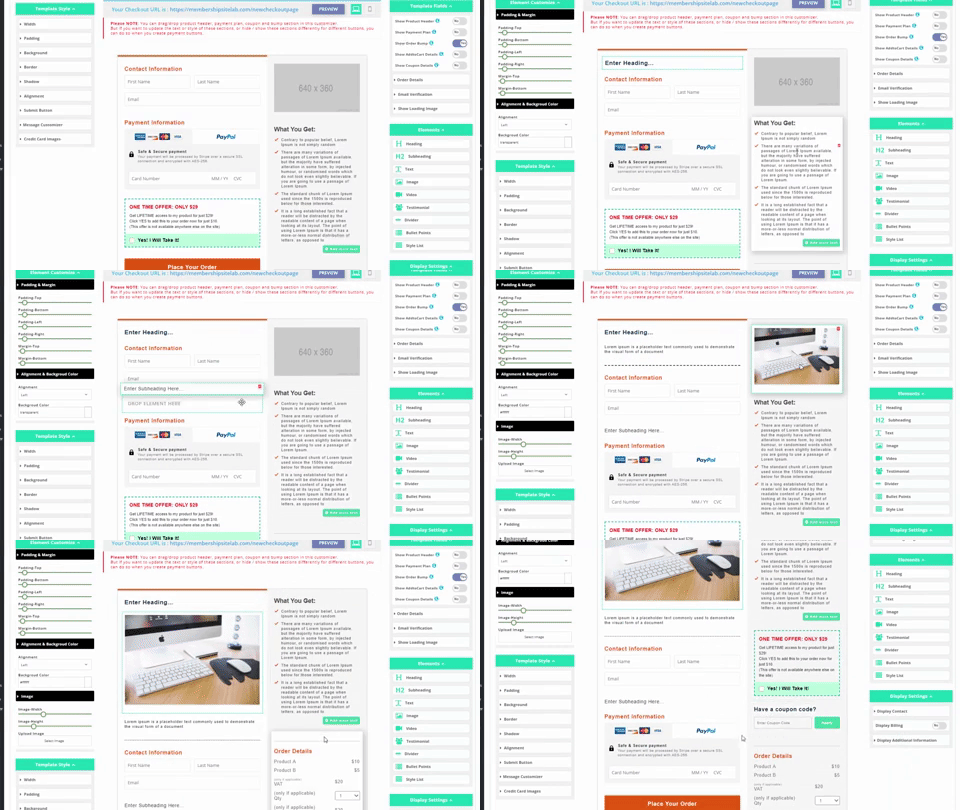
SmartPayCart (SPC) is our shopping cart plugin for DAP. It's one of the most powerful, customizable (see checkout page builder image on the right) and easy-to-use shopping cart plugins for Wordpress. And it's FREE with DAP Platinum and Elite Licenses! SPC integrates with Stripe, PayPal and Authorize.net.
Click here to check out SPC's feature list.
Here are some of the external shopping cart platforms that DAP integrates with currently:
WooCommerce
ClickBank
PayPal
JVZoo
Warrior Plus (WSO PRO)
ThriveCart
PayKickStart
SamCart
1SiteAutomation (1ShoppingCart and all private labels)
2Checkout.com
Zaxaa
Infusionsoft
Ontraport
WP eStore
eJunkie


Group Membership
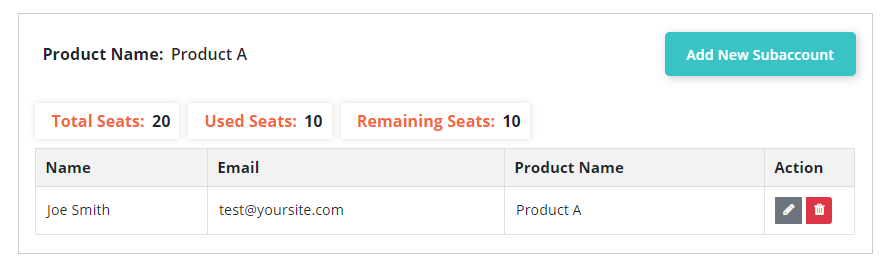
Group Membership Model, also referred to as sub accounts, Team Accounts or Corporate Accounts, will allow customers that purchase group membership to control who gets access to the membership program under them and manage the accounts they create under them.
DigitalAccessPass.com (DAP) offers the most comprehensive group membership feature.
1. The number of members that group owners can add can be controlled by their product subscription
2. The group account owners can control who gets access to the membership program under them.
3. You, the site owner, can also control what products the group owners can give their subaccounts access to.
4. The group owners can easily set up sub-accounts under them, grant and remove access.
5. You can fully customize the "invite member form" and the manage subaccount page.
6. The group membership product can have it's own welcome email and pricing just like any other products in DAP.
Pay-Per-Post
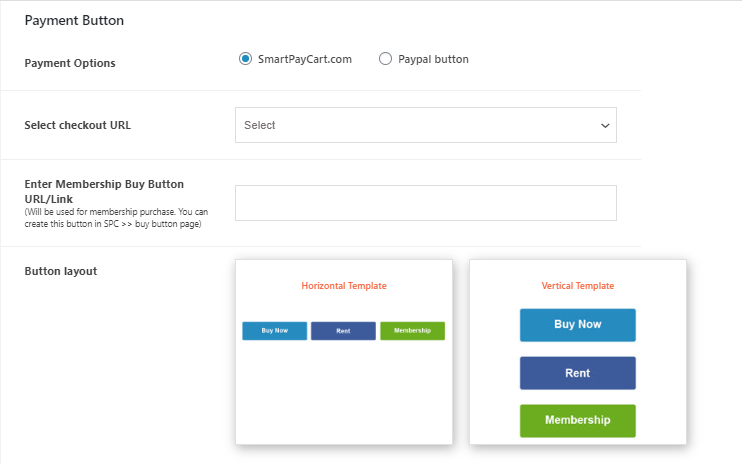
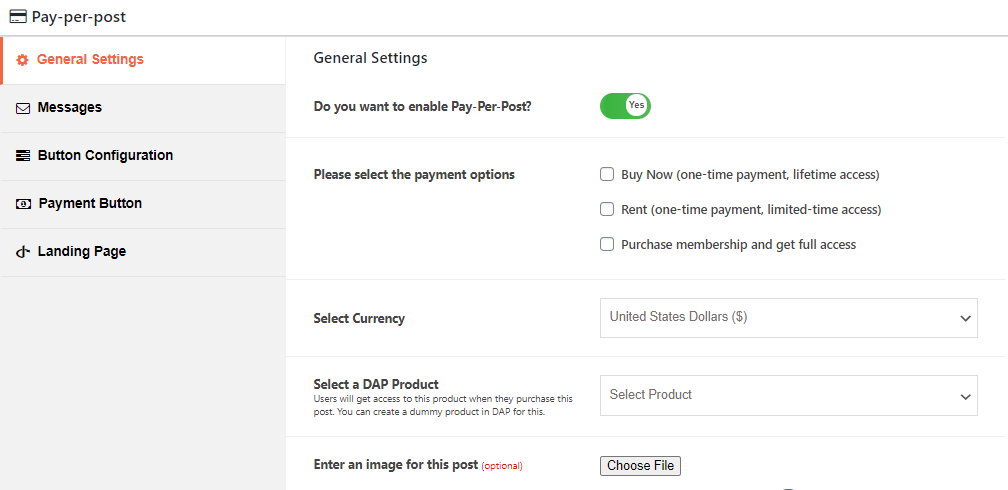
You can sell individual pieces of content such as audio, video, files, Wordpress content, etc. When you create your WP page/post, you'll be able to enable one or more of these options:
a) Buy Now (one-time payment, lifetime access)
b) Rent (one-time payment, limited-time access)
c) Purchase membership (and get full access)
You can show teaser content to visitors, and show the actual content to anyone that already has access. A 'pay-per-view' button (customizable) will be displayed to users that don't have access.
Also, using SPC's storefront feature, you can create an instant storefront for all of your pay-per-post content. You can configure the posts that you want to showcase in your store!
Unlimited Everything
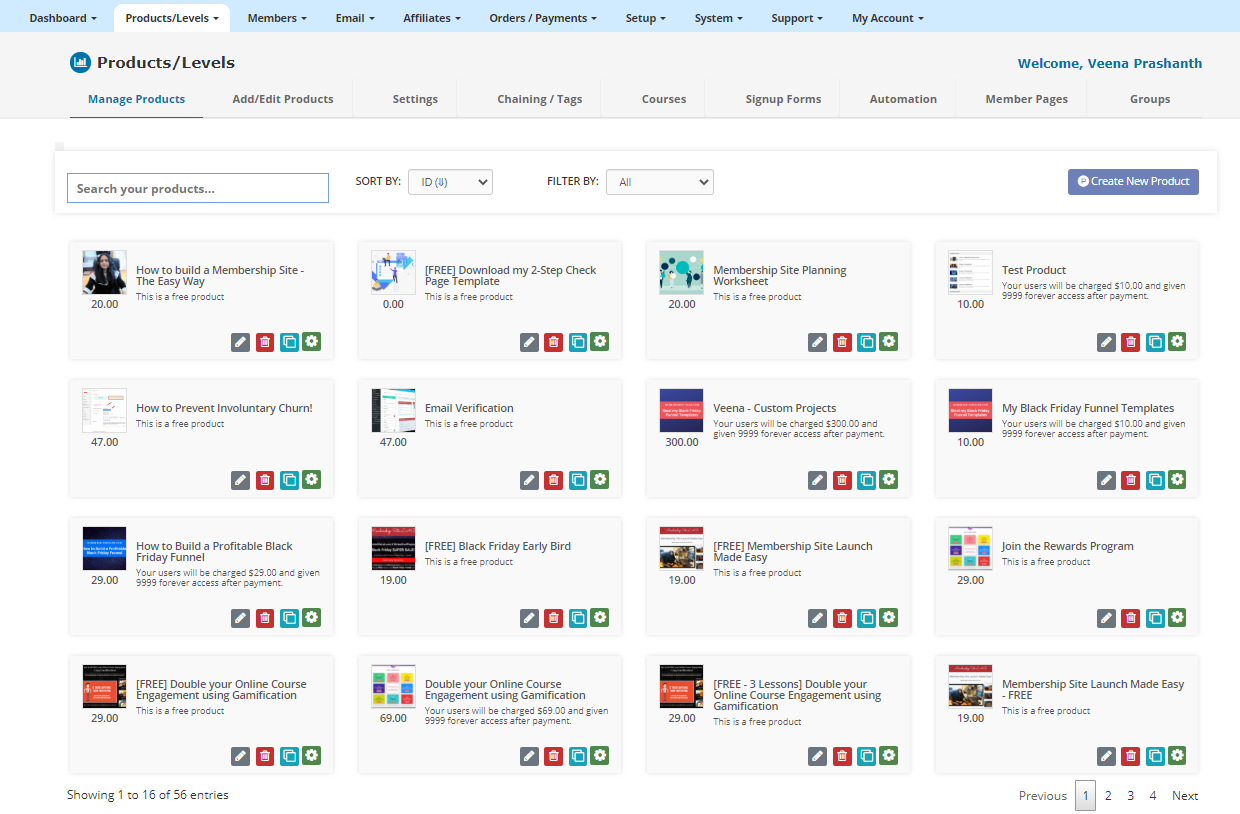
There are NO limits with your DAP license. You get access to unlimited products, levels, etc.
- Unlimited Products
- Unlimited Membership Levels
- Unlimited Members
- Unlimited Email Autoresponders
- Unlimited Email Broadcasting
- Unlimited Upsells, Downsells & Cross-sells.
The MOST Powerful and Customizable Shopping Cart Plugin for Wordpress
SmartPayCart (SPC) is FREE with both DAP Platinum & Elite License
Most advanced checkout page builder
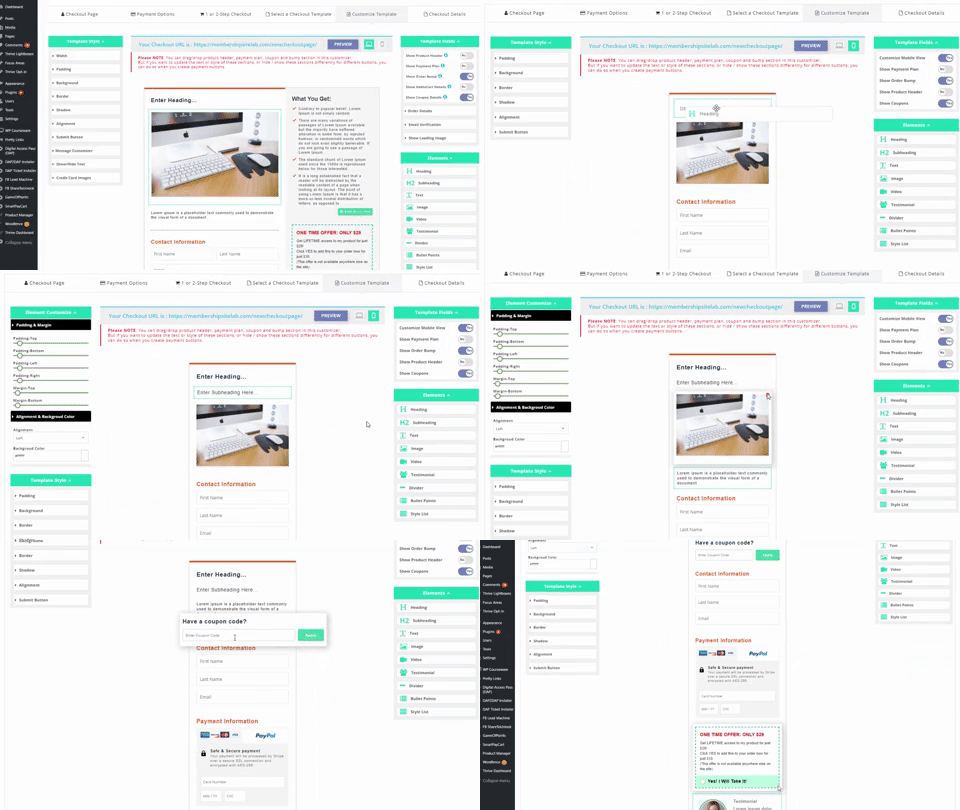
SPC comes with a very advanced drag/drop, click/edit checkout page builder that will allow you to create a fully customized look for your checkout. See video below.
Drag and drop your way to a beautiful checkout page layout, WOW your buyers, help convert visitors into customers & increase your Average Transaction Value!
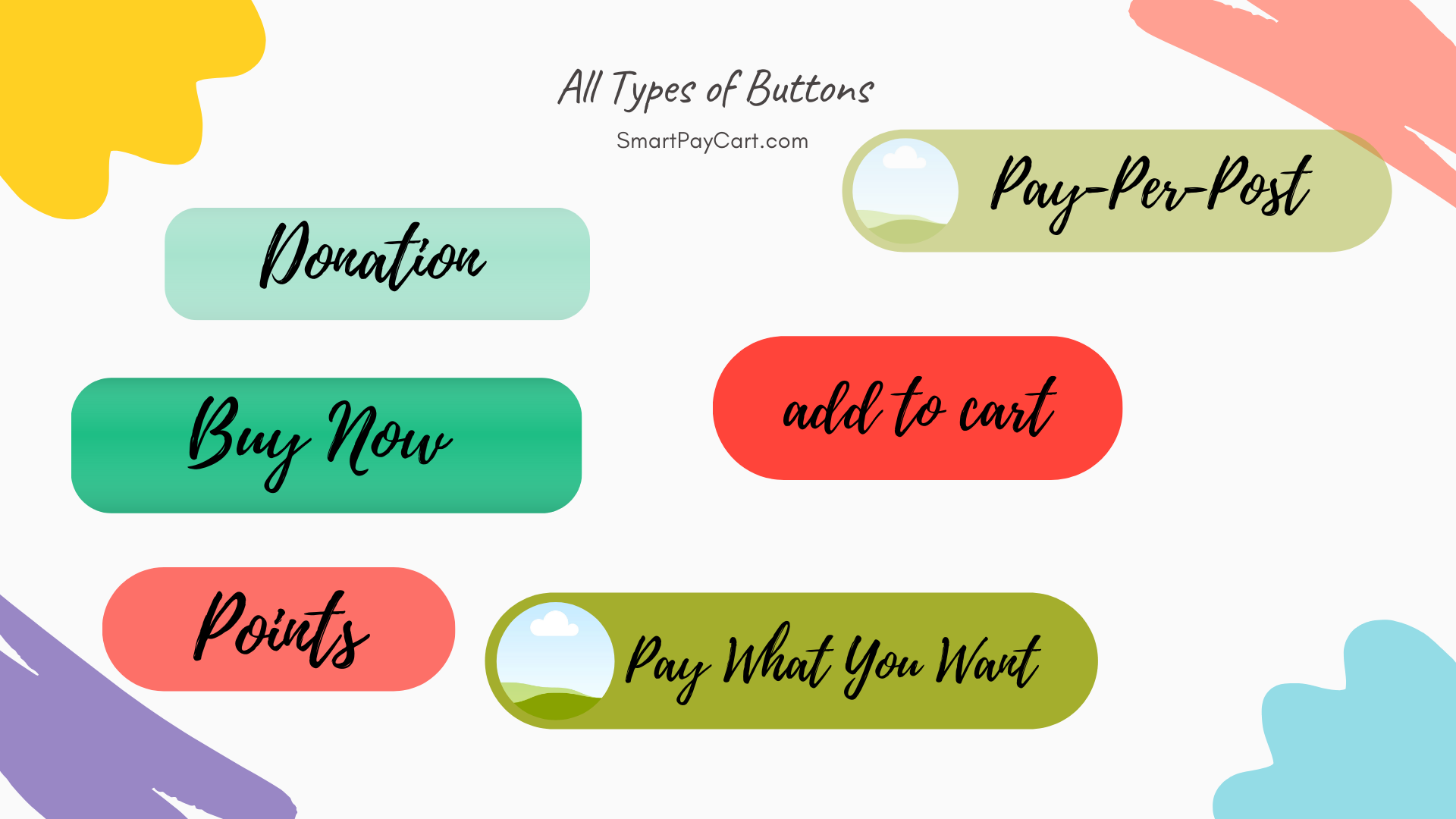
All types of Payment Buttons
You can create many different types of buttons - buy now, add-to-cart, donation, netflix-style-pay-per-post, pay-using-credits, pay-what-you-want, an instant storefront with your products, and so much more.
Mobile View
Optimize your checkout for mobile! Create a completely different optimized look for your mobile users!
You can add different fields to your order form for mobile checkout, including billing fields, custom fields, etc, with the click of a button.
Add different types of elements (image, heading, text, testimonial, bullet points, etc) anywhere you want on your checkout.
Visual Funnel Builder
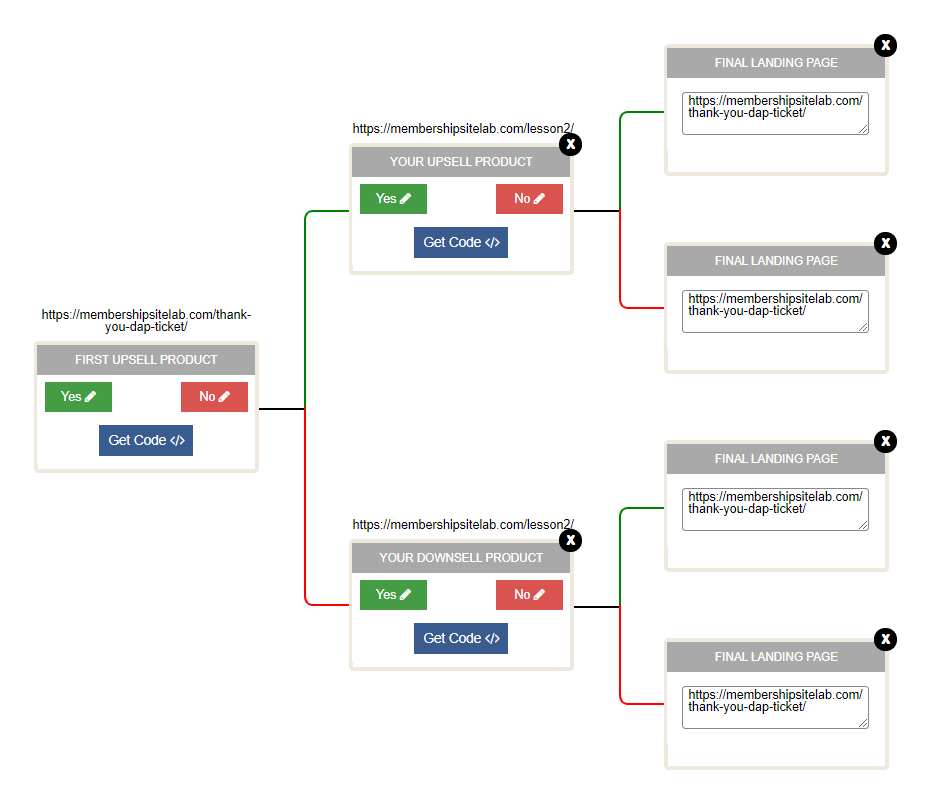
It comes with a unique “Visual Funnel Builder” that’ll allow you to build all types of sales funnel (unlimited 1-click upsells and downsells), no matter how complex it is, with the click of a few buttons.
Storefront
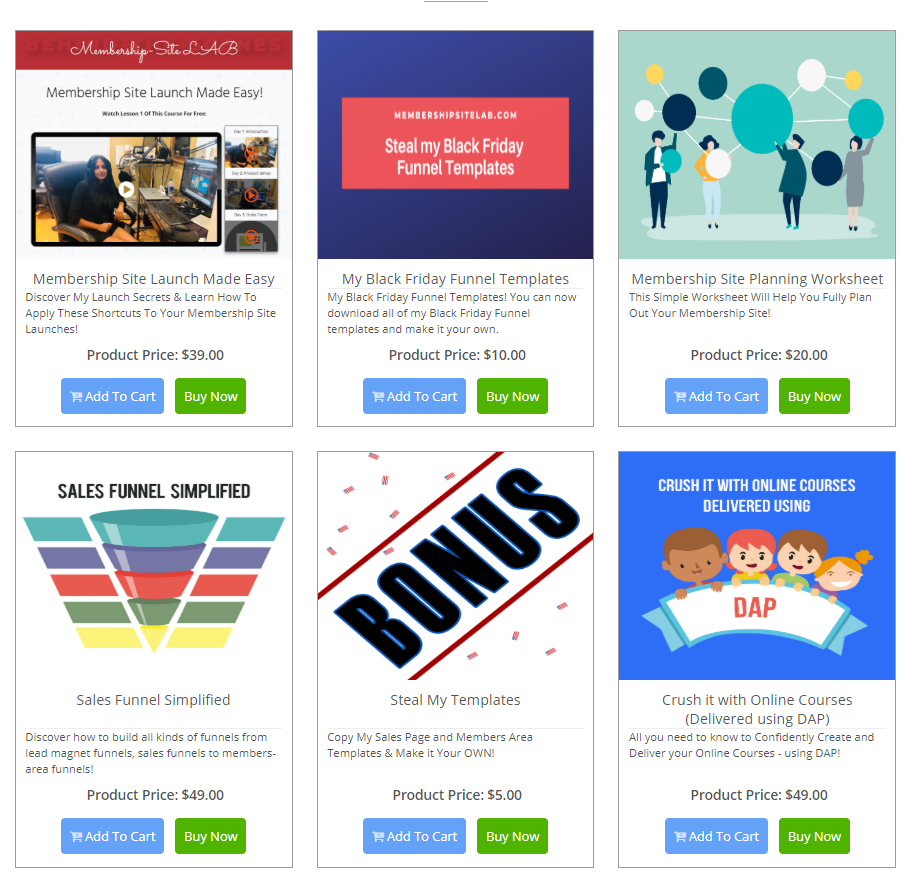
You can create an instant storefront using SPC. It's fully customizable in the backend. You can hide/show any products you want in your store, select the order of product display, use a horizontal or vertical layout for your store, add both buy now and add-to-cart buttons to your store and a lot more!
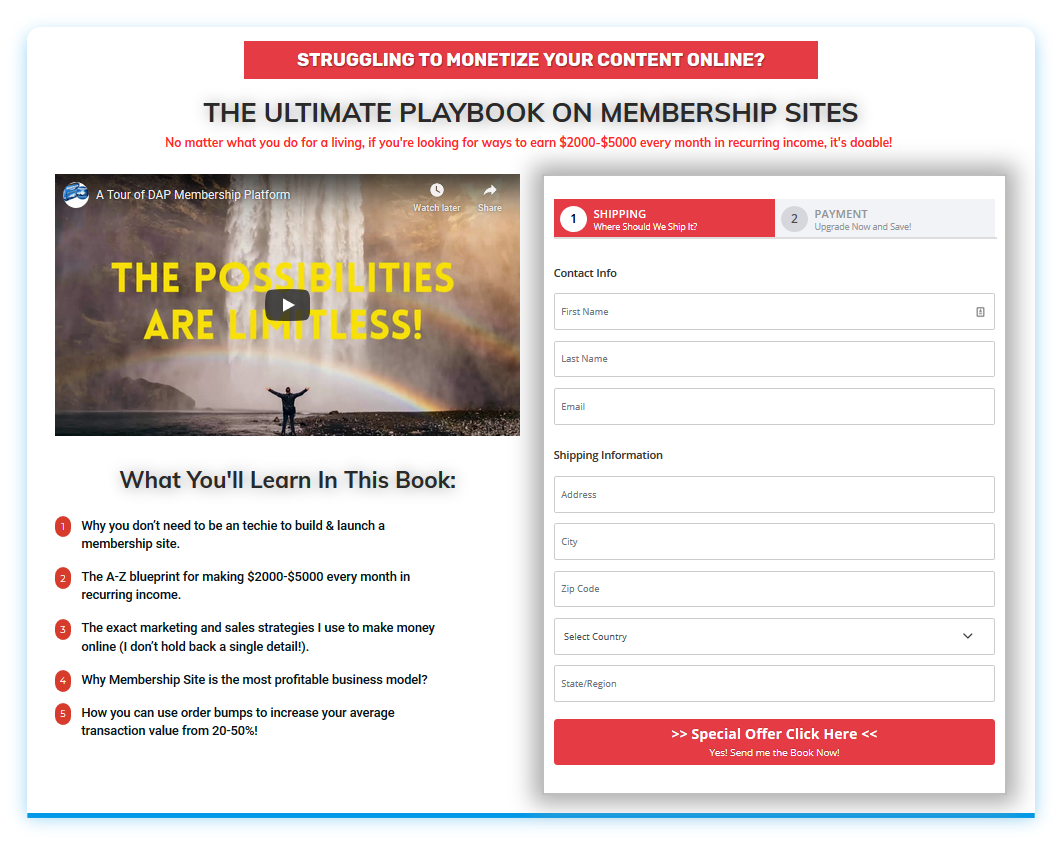
2-step Order Form
SPC also supports 2-step order forms (similar to ClickFunnels but with more customization options). Everything you see on the checkout page - from the fields to the template-style, is fully customizable in the SPC backend! If you don't want to collect shipping fields, you can remove it from the checkout form.
You can use this 2-step order form not just to sell your books, but for your other products and services as well
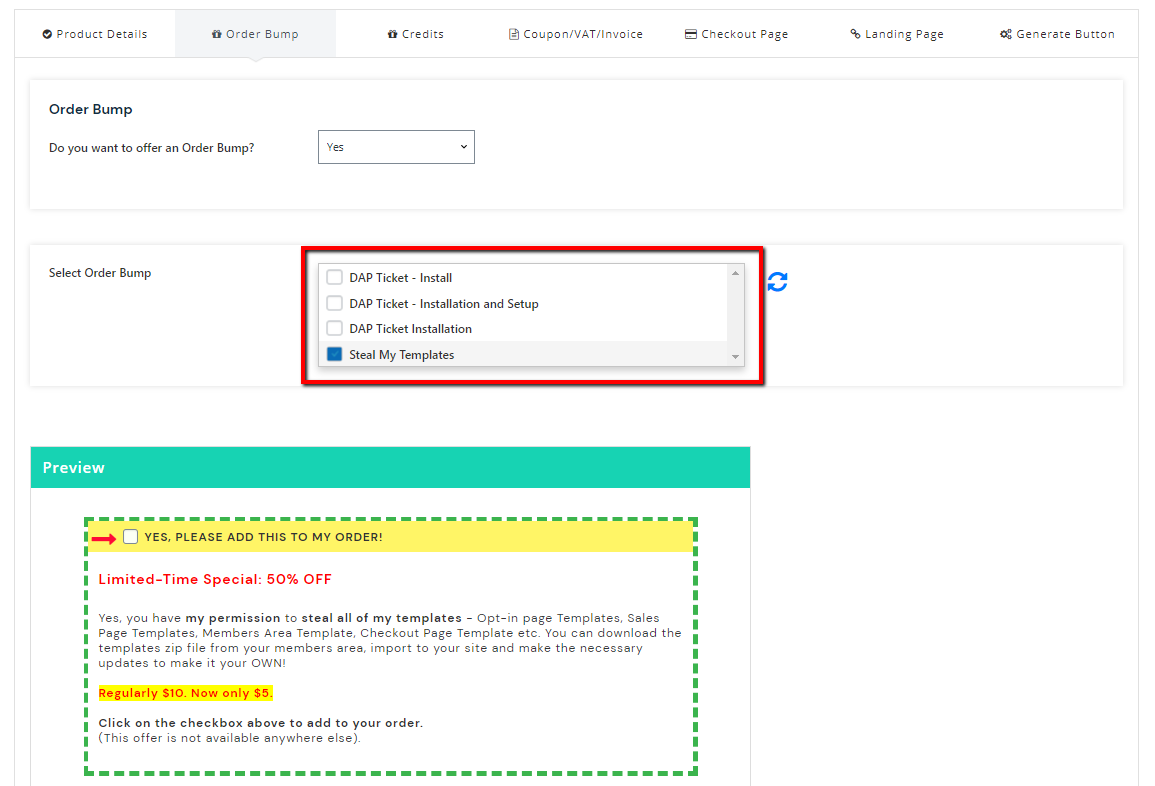
Multiple Order Bumps
You can offer not just one but multiple “order bumps” on your checkout page. From what I know, you cannot do this with any other cart plugins. Many SPC’ers have benefited from this feature where they are able to double their order value with order bump offers.
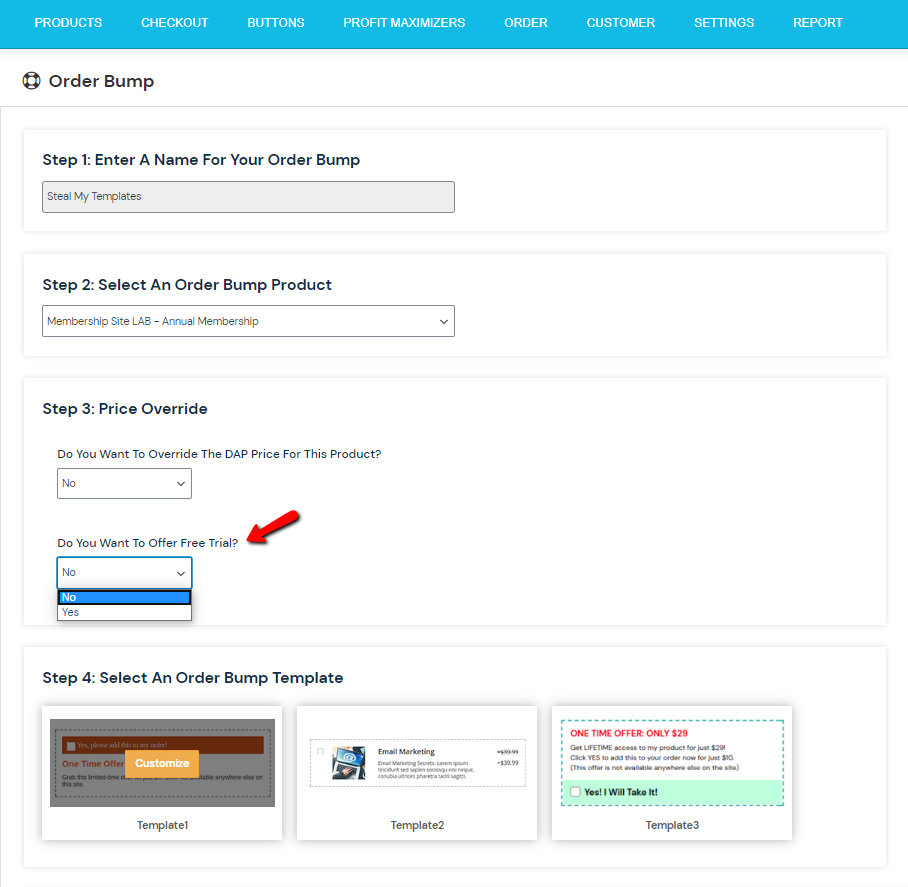
Free Membership Trial as an Order Bump
You can offer a “Free Membership Trial” as an Order Bump. Again, this is very unique to SPC. Most cart plugins don’t support ‘free trial’ order bumps.
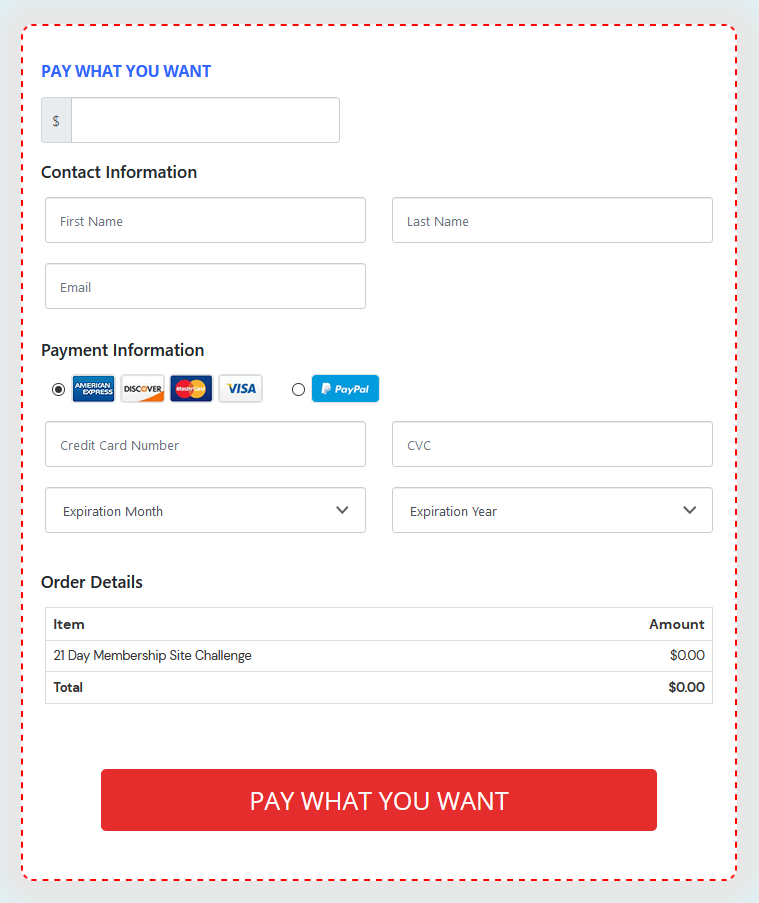
Pay-What-You-Want / Donation
You can create a donation / pay-what-you-want button using SPC. You can also set a minimum amount. You can set up a recurring button where users can pay a certain amount on a recurring basis, just by checking a box.
Netflix-Style Pay-Per-Post
You can create a buy/rent button and allow users to purchase individual pieces of content such as audio, video, WordPress content, PDF files, etc, without having to create a product for each. You can also create a store for your content!
Automated Login & Member Experience
Create a great member experience. Allow users to instantly download your product or access your content without having to wait for an email to arrive and login manually to access their membership.
Your users will be automatically logged-in to the membership when they purchase your product. They don’t have to wait for a welcome email to login. They can instantly access your product.
Failed Payment Management
SPC supports full-fledged dunning management. Your users can update their credit card and billing info on your site. They can self-cancel their subscription. They can also pause and resume their subscription. You can also setup automated emails that gets sent to your users when a subscription payment fails for any reason.
1-Click Members-Area Upsell
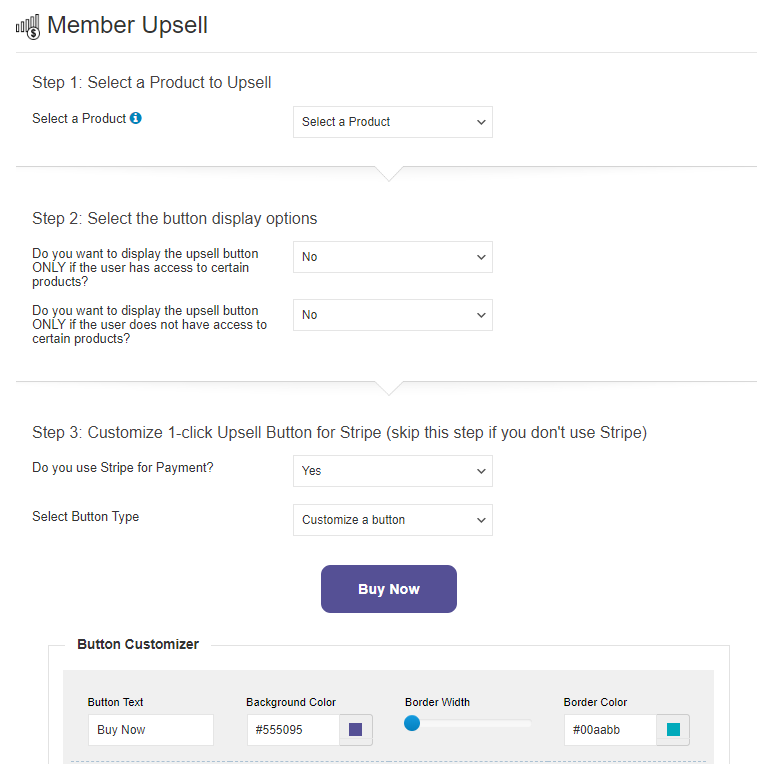
You can also offer “1-Click Members-Area” upsell with Stripe. Users will find a 1-click, "Click here to Upgrade your Account button". And if the previous purchase was made via PayPal or Authorize.net, the button will automatically link to the sales page or buy button page (configurable) for the product.
When you are with DAP, you are Family!
Hi, I’m Veena.
I'm the co-founder / co-developer of DigitalAccessPass (DAP). I'm also the creator of SmartPayCart (SPC).
Welcome to DAP :-).
When you choose a membership software to power your membership site, there are two main things to consider:
1. Software: Will the software allow you to implement everything in your must-have list, and also give you the flexibility to grow and scale, as your business needs and requirements change?
2. Support: What's equally important (if not more) is the customer support! How quickly do you receive a response to your high priority tickets? Do you get a canned answer from the support people, or do they go the extra mile to actually help you resolve the issue quickly?
As far as features, as you can see from the feature list on this page, there's not much you cannot do using DAP. We continually evolve and update DAP based on the changing needs of our marketplace, and based on our customer feedback.
As far as support, you'll not find another company that cares more about the success of their customers than us. We do not mislead our customers. We resolve problems quickly and efficiently. We're known for our support. You'll never have to worry about that. We're going to be there for you when you need us!
When you are with DAP, you're family!